
Independent guide · India · 18+
Daman Download
Daman download guide — register and log in first, then install the Android APK (Complete Installation) or PWA Quick Installation on Android and iOS.
Affiliate disclosure: We may earn a commission via partner links. This is an independent guide, not the official Daman site.
Important first
There is no public direct APK link for Daman download.
You must register and log in first. The Download button appears inside the live Daman lobby only after you are signed in.
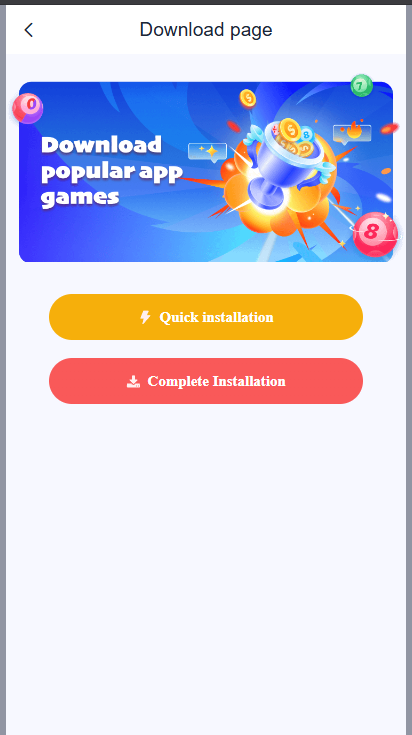
Two Daman install options
| Option | What it is | Devices |
|---|---|---|
| Complete Installation | Native Android APK | Android only |
| Quick Installation | PWA (Add to Homescreen) | Android + iOS |
Register / login (required)
- Open the live Daman site and complete Daman Register (invite code required:
734144679488). - Or use Daman Login if you already have an account.
- After login, you land on the lobby/homepage — this is where Daman download starts.
Android — APK (Complete Installation)
Use this when you want the full native Android app.
- Open Daman and log in.
- Tap the Download icon at the top of the homepage (near wallet balance).
- Tap Complete Installation.
- Save the APK file to Downloads.
- Open Downloads and tap the APK file.
- If asked, allow install from unknown sources / this browser.
- Tap Install.
- Open the installed app and log in with the same phone number and password.
Android — PWA / home-screen shortcut (Quick Installation)
Use this when you prefer not to install an APK.
- Log in on mobile Chrome (or your browser).
- Tap Download in the lobby.
- Tap Quick Installation.
- Confirm Add to Homescreen.
- Open the new icon from your home screen like a normal app.
This is a Progressive Web App (PWA): it looks like an app, but runs through the browser.
iPhone / iPad (iOS) — PWA only
APK is not available on iOS. Use Quick Installation in Safari.
- Open Daman in Safari and log in.
- Tap the Download icon on the homepage.
- Tap Quick Installation (Add to Homescreen).
- Confirm when Safari asks to add the icon.
- Tap Add.
- Open the icon from your homescreen and play in the browser.
Games, deposits, and withdrawals work the same as on Android — only the install method differs.
Quick comparison
| Goal | Device | Choose |
|---|---|---|
| Full Android app file | Android | Complete Installation (APK) |
| Icon on home screen, no APK | Android | Quick Installation (PWA) |
| Install on iPhone/iPad | iOS | Quick Installation only |
Safety tip for Daman APK download
Only download from the in-app Download page after login. Avoid third-party APK websites, “mod” files, and links shared by strangers.
Related guides
- Daman Register — create your account first
- Daman Login — sign in to unlock download
- Daman Game — choose Win Go, K3, and more
- Daman Gift Code — redeem offers after install
- Daman Telegram — verify update channels
- Home — Daman login & register hub
Frequently asked questions
Is there a public Daman APK download link?
No. There is no public direct APK URL. You must register and log in first. The Download button appears inside the live Daman lobby after login.
What is Complete Installation vs Quick Installation?
Complete Installation installs the native Android APK. Quick Installation adds a PWA shortcut to your home screen and works on Android and iOS.
Can I install Daman on iPhone?
Yes, but only as a PWA. Use Safari, log in, open Download, then choose Quick Installation / Add to Homescreen. APK is Android-only.
Where do I find the Daman download button?
After login, look at the top of the lobby/homepage near your wallet balance for the Download icon.
Is it safe to download Daman APK from random websites?
No. Only download from the in-app Download page after login. Third-party APK sites often bundle malware or fake apps.
Do deposits and games work the same on PWA and APK?
Yes. Games, deposits, and withdrawals work the same. Only the install method differs between native APK and PWA.